by Michael Frye | May 22, 2024 | Digital Darkroom, Video Tutorials

Rapid and reflections in the Colorado River, Grand Canyon NP, Arizona. The lower-right portion of this photograph had a large blemish caused by a water spot on the sensor. This would have been difficult to remove using traditional retouching tools in Lightroom or Photoshop, but took about five seconds with the new Generative-AI mode in Lightroom.
Yesterday Adobe announced significant upgrades to Lightroom, Lightroom Classic, and Camera Raw.
To me, the biggest news is the addition of “Generative AI” for retouching. This uses similar technology to Generative Fill in Photoshop, but isn’t designed to add or create things – only to remove objects. In fact Adobe changed the name of the Healing tool to the Remove tool.
Whatever you call it, Generative AI is a big leap forward in the retouching capabilities of Lightroom. It makes Lightroom almost as powerful as Photoshop for retouching, but unlike Photoshop it works in a completely flexible, non-destructive way. Generative AI does have some limitations, however, which I discuss below.
(more…)
by Michael Frye | Jan 8, 2024 | Announcements
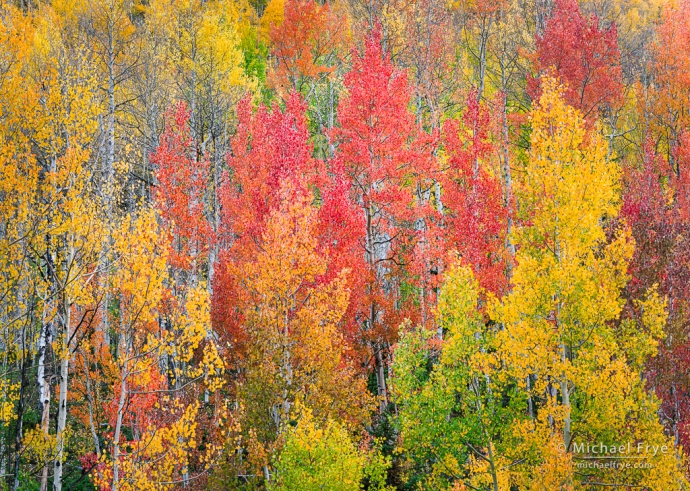
Aspen kaleidoscope, Uncompahgre NF, Colordao
Color can be one of the trickiest aspects of image processing. How do you get the right white balance? How can you dial in enough saturation to make the image appear lively and vibrant, without it looking fake or garish? How do you get the right hues? How can you apply color grading effectively?
In this live webinar I’ll demonstrate how to tackle this challenge as I take you step-by-step through processing one or more photographs, with an emphasis on handling color. I’ll cover all the basics, but also delve into the nuances that can give your images a rich, sophisticated look, including:
(more…)
by Michael Frye | Oct 19, 2023 | Digital Darkroom

Aspens and bigtooth maples, northern Utah. I used the new Point Color tool to tweak the originally dull-looking greens and yellows in this photo and make them more vibrant.
Last week Adobe launched major updates to Lightroom Classic (13.0), Lightroom Desktop (7.0), and Lightroom Mobile (9.0). The biggest new features are HDR editing, Point Color, and Lens Blur.
All of these new tools deserve their own post, but we just finished a workshop, and we’re still traveling, so for now I’m just going to explain a few of the salient features, and steer you to some more in-depth information.
(more…)
by Michael Frye | Aug 7, 2023 | Announcements
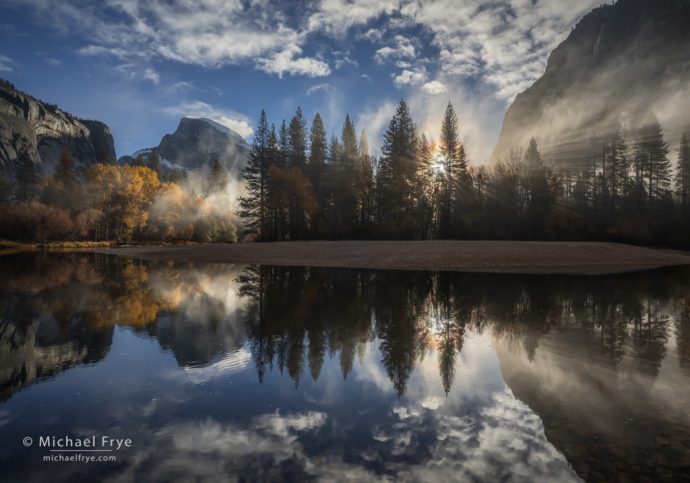
Sunbeams, mist, Half Dome, and the Merced River, Yosemite National Park, California
High-contrast images can be challenging to process. How do you both darken highlights and lighten shadows, without making the image look too flat, weird, or over-processed?
On August 26th I’ll present a live webinar where I’ll demonstrate how to tackle this challenge. I’ll take you step-by-step through processing one or more high-contrast photographs, where you’ll learn powerful yet simple techniques for balancing contrast, while keeping the image lively and natural-looking. Here’s a partial list of the topics we’ll cover:
(more…)
by Michael Frye | Apr 23, 2023 | Digital Darkroom, Video Tutorials
Lightroom’s Powerful New Denoise Tool
Adobe released major updates for Lightroom and Camera Raw last week (version 12.3 for Lightroom Classic, 6.3 for the cloud version or Lightroom, and 15.3 for Adobe Camera Raw). Lightroom Classic now has Curves in the Masking Panel, which I’ve been hoping to see for a long time. But I’ll talk about that later, because to me the most exciting news is the new AI-powered Denoise tool.
I’ve used most of the noise-reduction tools out there, but the new Denoise function in Lightroom and Camera Raw has quickly become my favorite. It’s not perfect, and it has limitations, but it’s performed minor miracles on some of my noisiest, most troublesome photos.
(more…)