In the Moment:
Michael Frye's Landscape Photography Blog

Landscapes in Lightroom: The Essential Step-by-Step Guide
Landscapes in Lightroom: The Essential Step-by-Step Guide

Landscapes in Lightroom: The Essential Step-by-Step Guide

Landscapes in Lightroom: The Essential Step-by-Step Guide

PDF ebook plus video tutorials
116 double-page spreads
17 video tutorials with a total runtime of 3 hours and 45 minutes
DNG sample files available for download
FAQ
$47

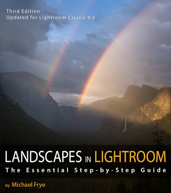
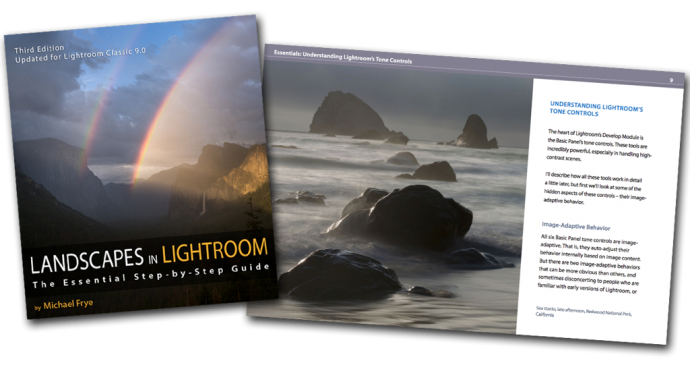
Here it is! The third edition of my course Landscapes in Lightroom: The Essential Step-by-Step Guide is now available. This new edition is revised and updated for Lightroom Classic CC, and includes a brand new example where I take you step-by-step through processing a Milky Way photograph, plus six new videos about the Range Mask, the Profile Browser, fixing coma, removing color fringing around stars, and more.

Of course this new version still has all the features that made the first two editions so popular. First, you can download the original Raw files used as examples in the ebook, and then follow along with each step yourself – just as if you were attending one of my workshops.

Second, when you purchase the ebook you get exclusive access to 17 videos demonstrating different aspects of Lightroom’s Develop Module, like the Adjustment Brush, Spot Removal Tool, Point Curve, HDR Merge, Panorama Merge, performing advanced retouching, and much more. It’s great to read about a tool or technique; it’s even better to watch a demonstration, and then try it yourself on the same image.

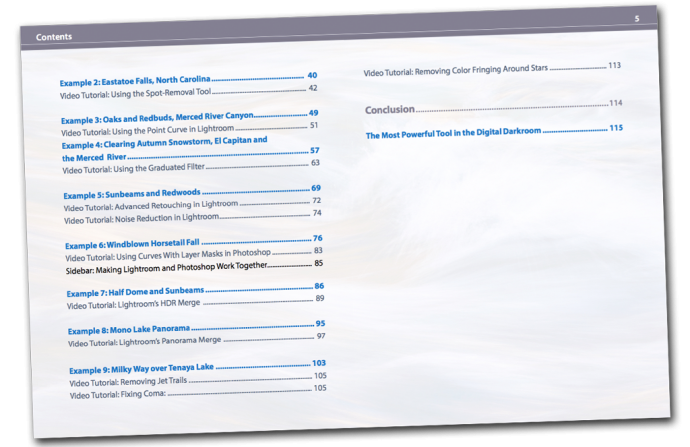
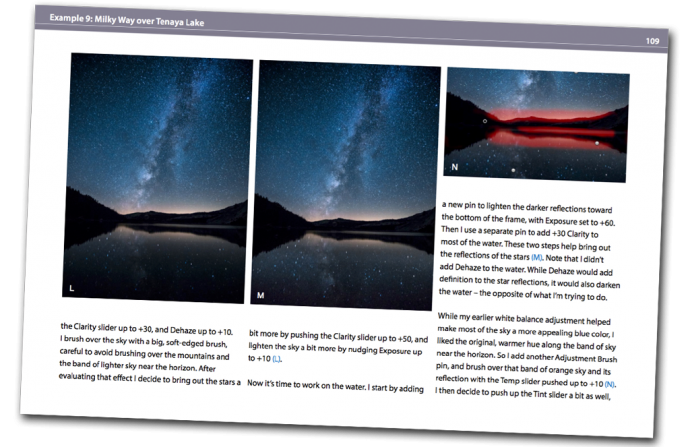
And third, there's the PDF ebook itself. This includes nine examples, where I take you step-by-step through processing each image in Lightroom. You’ll get to see my workflow in action, with a variety of images – high contrast, low contrast, color, black and white, HDR merge, panorama, and even a Milky Way photograph. You’ll learn many specific techniques and tips, but perhaps more importantly, you’ll gain insight into the decision-making process that so many photographers struggle with. How much contrast is enough? How far can you push the saturation without making the image look garish or fake? What’s the right white balance?

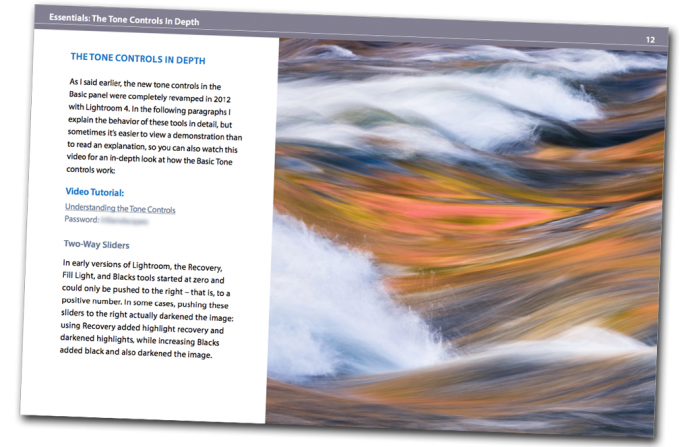
And there’s much more. The first section of the ebook is devoted to understanding the Develop Module, and especially the powerful Basic Panel Tone Controls. There are many things going on under the hood that haven’t been talked about much (not even by Adobe, for some reason) like the automatic highlight recovery, and how all the Basic Panel Tone Controls are image-adaptive – that is, they auto-adjust their behavior based on image content. To help you understand how all this works you'll find a completely revamped video on the tone controls that covers that image-adaptive behavior, how each tool works, why you might consider changing your default settings, and how to approach processing both high-contrast and low-contrast images.

Here’s just a partial list of things you’ll find in the ebook:

  • An in-depth look at the Basic Panel Tone Controls
  • Image-adaptive behavior: how Lightroom’s tone controls auto-adjust their behavior internally based on image content.
  • The best recent features in Lightroom Classic, including the Range Mask and Profile Browser.
  • Default settings: where should you start?
  • Establishing a workflow
  • Adjusting white balance
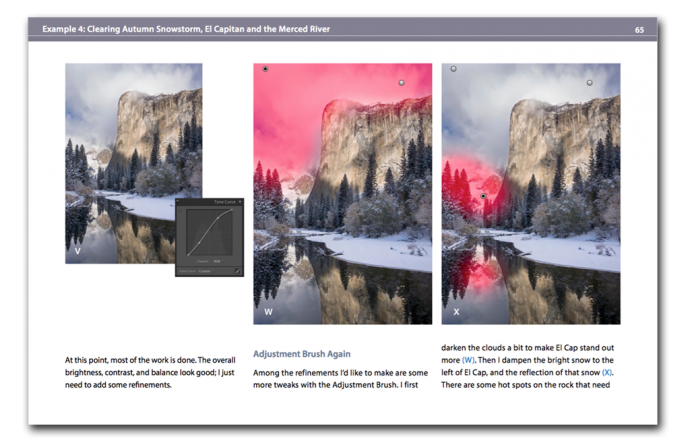
  • Using the Adjustment Brush and Graduated Filter
  • Using the Target Mode in the HSL Panel
  • Straightening leaning trees
  • Handling high-contrast scenes
  • Converting images to black and white
  • Using curves
  • Using the spot removal tool
  • Advanced retouching in Lightroom
  • Integrating Lightroom with Photoshop
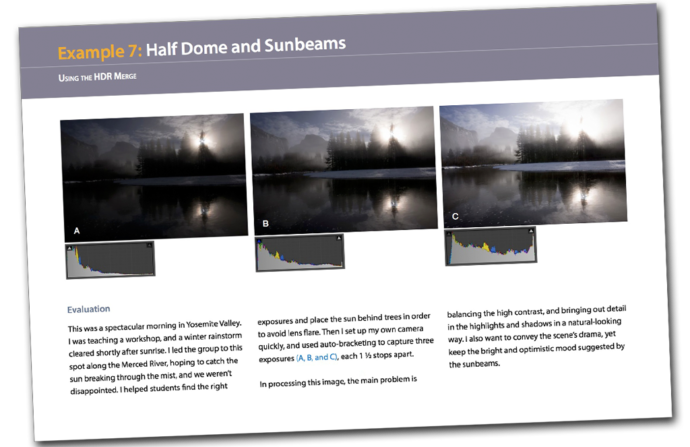
  • Using the HDR Merge
  • The Panorama Merge
  • Processing a Milky Way photograph

And if you’re still using a standalone version of Lightroom, almost everything in this ebook still applies. And that goes for ACR too! All the tools in Adobe Camera Raw are essentially identical to Lightroom's Develop Module – they're just laid out differently, and sometimes work slightly differently. But everything I talk about in this book can be done in Adobe Camera Raw 10.0 or later, and most things with ACR 6.0 and up.

Questions? Read the FAQ
 

Free Video

To give you a taste of what the video tutorials are like, here's a seven-minute video that explains how the automatic highlight recovery and automatic black point adjustment work (some of that image-adaptive behavior I mentioned above). The full 44-minute video about the Basic Panel Tone Controls is included with the ebook and video package, and has much more, including an in-depth look at all the Tone sliders, an explanation of why Adobe's default settings might not be the best starting place for many images, and demonstrations of how I approach processing both high-contrast and low-contrast images in Lightroom. Here's the short version:


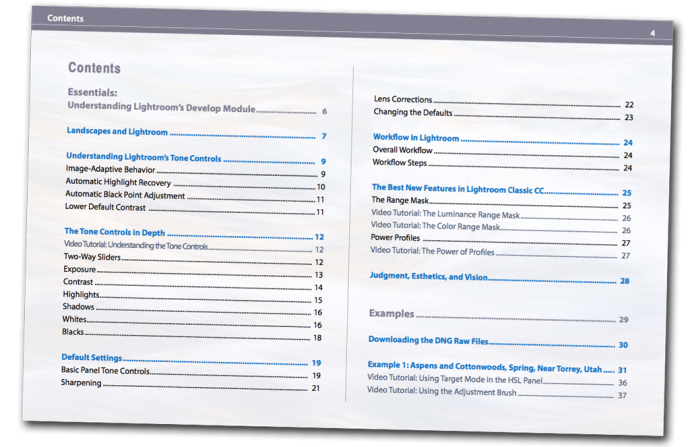
Sample Pages
lr6-pg84


I’m absolutely loving everything about your book! It’s fantastic on all fronts. And your videos are a gigantic bonus; extremely helpful. I love the clarity of your instructional style.
— Chris Dierdorff

I recently finished your Lightroom e-book program and am very impressed by your teaching style. The illustrated text, videos, and practice sessions make for a complete program. Having your students work with common images makes for a powerful learning experience. I cannot believe the difference this has made in my ability to bring out and highlight the best elements of my photos as well as to more effectively tone down distractions.
— Betty Hovenden

Just wanted you to know that I have used LR since the beta the year before it was released. I have used every version since then. In addition, I have taken multiple classes, read many books, and purchased the on-line tutorials of several pretty high-powered professionals. Over the years I have done some pretty darn good processing. But I have never really understood what the heck I was doing with the various adjustments until reading your recent eBook. All of a sudden everything is completely clear, and I am now making adjustments because I know what they will do rather than just noodling around.

This should be required reading for all Lightroom users, and I am certainly recommending it to my friends. It is light years ahead of anything else I am familiar with. Thanks for writing it…you have changed the way I process!
— Scott Oberle

I just wanted to drop you a quick note to tell you that I purchased your ebook and it is excellent. I’m an experienced LR user however I have learned a number of new things in your ebook. Your teaching style is excellent and your photography is outstanding.  I would highly recommend this ebook to anyone looking to improve their image processing in LR.
— Betty Wiley

I want to thank you for your “Landscapes in Lightroom” ebook. I will mirror Scott Oberle’s comments about having watched lots of videos & instructions, including Adobe’s, on Lightroom. Previously, before your e-book, I felt like I was still stumbling around the Develop Module without understanding “what” I was trying to accomplish, but more importantly, the “why and how” I was doing something to the image. Your e-book made it very clear. I’ve gone from dreading post-processing to actually enjoying it, because now I evaluate an image, and THEN decide HOW I want to change it.
— Bill Beckler

I just got the book and about half way through it. I can’t believe how much I have learned so far. You have destroyed eveything I thought I knew about using Lightroom. Can’t wait to apply some of this new knowledge on some of my own work. Great job! Easy to read and understand.
— Bruce Johnson

I would just like to say how good it is to follow your thinking when working on your images. It has made me realize that less is more in so many cases. I’m pretty well versed as regards to LR functions but it is always healthy to see how you tackle problems and come up with such stunning landscapes. To those who are wondering, this ebook is worth every centime. 🙂
— Malcolm McLeod

I already have my copy! Your writing style makes it easy and educational read. I have already learned several new things and am only on page 19! I am looking forward to working on the examples you provide. I think this is an excellent learning tool.
— Richard Valenti

Just now purchased the e-book, and I have to say it looks like a bargain – even before the discount. You could probably charge twice as much and still sell as many! I look forward to spending some quality time with it and your sample files (not to forget the videos). Did I mention already it’s a bargain?
— Robert Gissing

Back From the Redwoods, and the Lightroom 5 Release

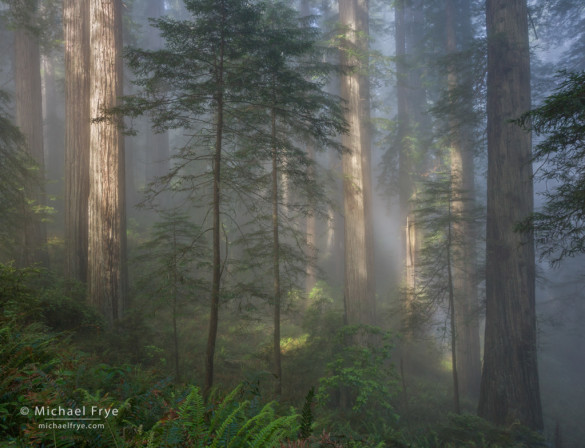
Sun breaking through fog in a redwood forest

Sun breaking through fog in a redwood forest


We had a wonderful time up in redwood country. It’s such a beautiful area, and we had great conditions – plus two really nice groups of people, and the relaxing ambience of the Requa Inn to come home to after a long day of photography. It was a memorable and enjoyable two weeks.

I’ll post more images from the area soon, but I’ll start with this one showing sun breaking through the fog in a redwood forest. It can be difficult to work with this kind of splotchy light, but I loved the mood of this scene, and luckily the sun hit just the right spots, creating a nicely-balanced pattern of light and dark.

(more…)

Lightroom 5 Beta

As many of you know, Adobe released Lightroom 5 Beta last week. Now that I’ve had a chance to give it a thorough test drive, here are my thoughts about the new features:

Advanced Healing Brush

The Spot Removal tool has received a major upgrade – finally! You can now brush over an area you want to retouch, instead of being confined to using only discrete spots.

I’ve tried this new feature on several images, and it works pretty well. It makes short work of relatively simple jobs, like getting rid of a jet trail in the sky, that used to require tediously placing a series of cloning or healing spots. Now it usually takes just one brush stroke to make a jet trail disappear.

Photoshop still has easier and more efficient options for difficult retouching jobs. But the new Advanced Healing Brush will make it possible to do more retouching in Lightroom, allowing you to keep a completely flexible, non-destructive workflow. I think that’s a big improvement; I’ll say more about that further down.

(more…)

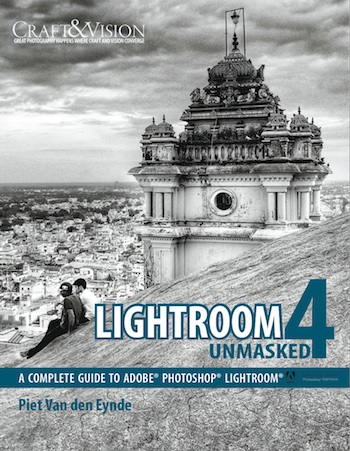
Craft & Vision’s “Big Book”: Lightroom 4 Unmasked

Lightroom 4 UnmaskedEven if you know a program well it helps to have a comprehensive guide, a book that covers everything from A-Z, so you can look up a keyboard shortcut, remember how to do that thing that you only do once a year, or learn some new tricks.

My favorite Lightroom bible has been Martin Evening’s The Adobe Photoshop Lightroom 4 Book. I still think that’s a great resource, but I might have a new favorite: Piet Van den Eynde’s new ebook called Lightroom 4 Unmasked.

This is a truly comprehensive guide to Lightroom 4, from setting up and importing, to organizing in the Library Module, processing images, mapping them, exporting them or publishing them to Flickr or Facebook, and printing.

If you’re new to Lightroom there’s a lot of great information here to help you get started. For example, the Lightroom Do’s and Don’ts (page 20) offers some invaluable advice to help you make the most of the program and avoid some common pitfalls.

Even if you know Lightroom well you’ll undoubtedly discover some new tips. One that I’m anxious to try is on page 238 — using Lightroom’s Publish Services to automatically put images on my iPhone and iPad. Cool — I didn’t know you could do that.

This is another ebook by Craft & Vision, the publisher of my two previous ebooks. But this one is different. Craft & Vision is calling this a “big book,” and it is that: a full 312 spreads. Because this is roughly four times the size of their typical ebooks, the price for Lightroom 4 Unmasked is higher than normal — $20. But until midnight on Tuesday, November 27th you can get it for only $15. Just use the code LR4FIVE on checkout.

(more…)

Lightroom 4.1

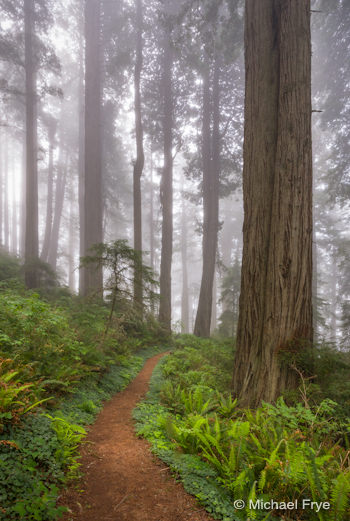
Path through foggy redwoods

Path through foggy redwoods


I meant to post this earlier, but if you haven’t heard, Lightroom 4.1 was officially released about two weeks ago. So if you’ve been waiting to upgrade to Lightroom 4 until Adobe fixed the bugs, I think your wait is over, as the major problems should have been addressed. I know the point curve bug was fixed with the 4.1 RC (“release candidate”), so that shouldn’t be an issue any more.

Lightroom 4 is a big step forward in Raw image processing, but the advancements require a lot of horsepower to work properly. So check the system requirements before you take the plunge. Many people have had to upgrade their operating system to run Lightroom 4, and upgrading your OS can be a big undertaking, requiring that you update other applications as well.

Earlier I posted two videos about Lightroom 4, so if you haven’t watched those yet they can help you get up to speed in the new process. Here are links to Part 1 and Part 2.

The first image here, as well as all of the images from Monday’s post—including some pretty high-contrast scenes—were processed exclusively in Lightroom 4. In the comments for that last post JayM asked if I could make a tutorial on how I processed the first image. That’s a great suggestion, but for now you’ll find a screen shot below that shows the Basic Panel settings for that photograph. (I didn’t use the Tone Curve, which is not unusual for me these days with high-contrast images in Lightroom 4.)

(more…)