In the Moment:
Michael Frye's Landscape Photography Blog
by Michael Frye | Jun 26, 2015 | Digital Darkroom
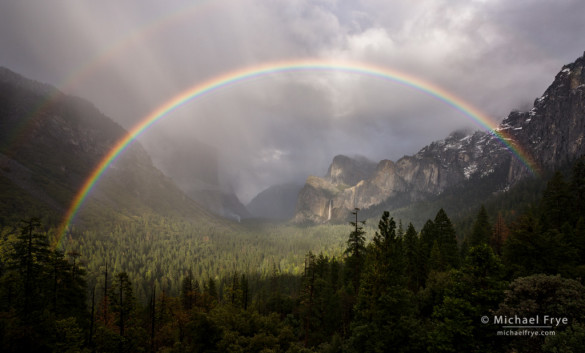
Rainbow over Yosemite Valley from Tunnel View – after applying the Dehaze control
Last week Adobe added an update to Lightroom CC, designated the 2015.1 release. It includes a couple of new features. The main one is a Dehaze slider, designed to reduce the appearance of atmospheric haze. It’s found in the Effects Panel of the Develop Module.
I’m usually skeptical of things like this. Is it really different than adding Contrast or Clarity? Well, yes, actually. Adobe says, “The Dehaze technology is based on a physical model of how light is transmitted, and it tries to estimate light that is lost due to absorption and scattering through the atmosphere.” I’m not sure how they do that exactly, but it seems to work more effectively than just adding Contrast or Clarity.
(more…)
by Michael Frye | Apr 30, 2015 | Announcements, Reviews
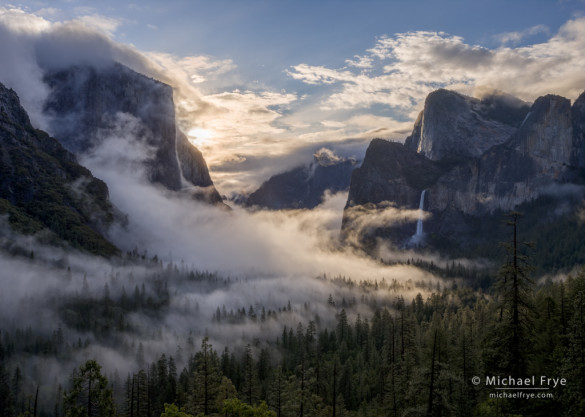
Swirling mist from Tunnel View, Yosemite. The new HDR Merge in Lightroom 6/CC did a great job with this high-contrast scene, producing a natural-looking result, and doing it with a completely non-destructive workflow.
After months of rumors, last week Adobe finally released Lightroom 6 and Lightroom CC. When I saw the list of new features, I have to say I was a bit disappointed. I was hoping for improvements to Lightroom’s retouching tools, and to the Adjustment Brush. It would be nice to add a curve to only part of an image, for example, and the Auto Mask function of the Adjustment Brush has long needed improvement.
Changes to the Develop Module
Alas, Lightroom 6/CC offers only small improvements to the Develop Module, like the ability to move and copy Adjustment Brush pins, and to modify Graduated Filter and Radial Filter selections with a brush. Nice, but hardly earth-shattering.
There is, however, a new, unadvertised feature of the Spot Removal Tool that I stumbled upon, and find rather useful: you can now place new cloning or healing spots over old ones by hiding the tool’s circles. Press the H key to hide or reveal the circles (the Tool Overlay). Though this seems like a small thing, the ability to add cloning or healing in layers, one step on top of another, is vital for any serious retouching job, and a significant improvement to Lightroom’s retouching capabilities. (There was a workaround in previous versions of Lightroom, though rather an awkward one: you could place a new spot outside any existing ones, then drag it over an existing spot. The new implementation is much better.)
(more…)
by Michael Frye | Oct 27, 2014 | Announcements, Digital Darkroom
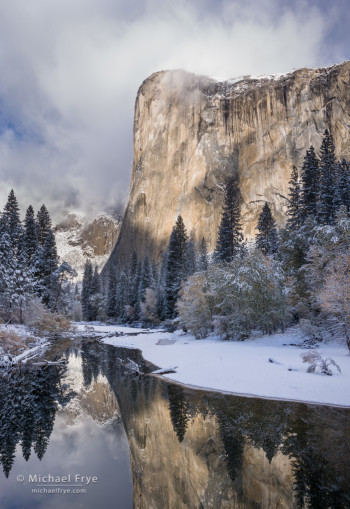
El Capitan and the Merced River after an autumn snowstorm, Yosemite. In the excerpt from Outdoor Photographer magazine I take readers step-by-step through processing this high-contrast image in Lightroom.
It’s not often that Outdoor Photographer magazine excerpts an ebook, so I was pleased when they asked to run an excerpt from my Landscapes in Lightroom 5 ebook in their December issue. Although printed copies of the magazine won’t be available until mid-November, you can already find the online version here.
The excerpt is from the fourth example in the book, showing step-by-step how I processed this high-contrast image of El Capitan in Lightroom. Due to space constraints they couldn’t run all the screen shots and illustrations from the book, but I think they did a great job of including the most essential ones.
If you don’t have the ebook yet, the Outdoor Photographer excerpt gives a good taste of what you’ll find, although of course the ebook has much more: five more step-by-step examples, in-depth discussions of the tools and workflow in Lightroom’s Develop Module, eight accompanying video tutorials (including one about using the Graduated Filter tool that goes with the excerpted chapter), and links to download the original Raw files for hands-on learning as you follow along with the examples.
To purchase the ebook, just use the Add to Cart button below, or click here to find out more.
And to everyone who has already purchased the ebook, thank you so much! I really appreciate your support, and all the kind words many of you have sent to me about the book.
— Michael Frye
Landscapes in Lightroom 5: The Essential Step-by-Step Guide
PDF ebook with video tutorials
87 double-page spreads
14.95


by Michael Frye | Dec 26, 2013 | Announcements, Digital Darkroom
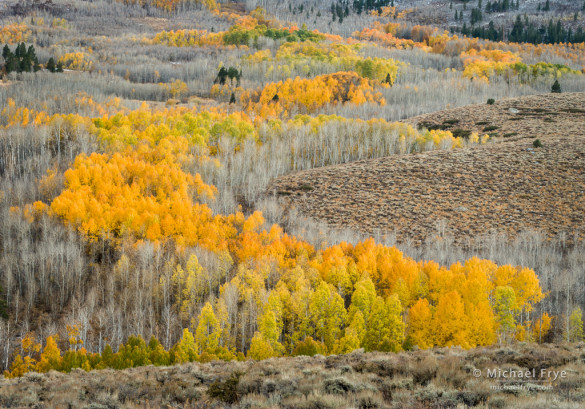
Aspen hillside, Tioyable NF, CA, USA (processed with Lightroom 5)
In April Adobe released the beta version of Lightroom 5, and the full shipping version came out in June. While the jump from Lightroom 4 to 5 wasn’t as big as some previous upgrades, there were some significant improvements, notably the Advanced Healing Brush and the Visualize Spots options for the Spot Removal Tool.
I shared my thoughts about all the changes in the post Lightroom 5 Beta from April. Since then I’ve used the Advanced Healing Brush a lot, and have actually found it to be even more helpful than I initially thought. It does take some practice to get the most out of this tool, but now I do almost all of my retouching in Lightroom, and rarely use Photoshop. This allows me to keep a completely non-destructive workflow, and means that I’ll never have to do the retouching for any of these images again (as I might if I used Photoshop for retouching and ever had to go back and make a change to the Raw file). Very nice.
(more…)
by Michael Frye | Nov 21, 2013 | Digital Darkroom
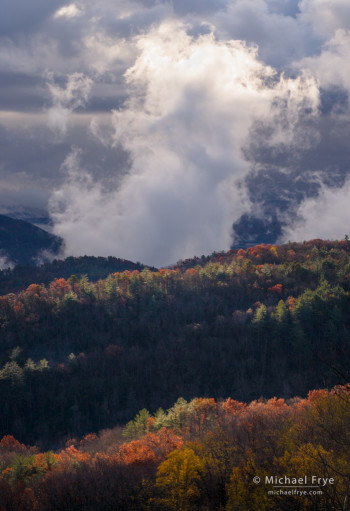
A creative cloud over the North Carolina/South Carolina border
Adobe is now offering its Photoshop Photography Program to everyone, not just those who own a license to a previous version of Photoshop. This program includes Lightroom 5 and Photoshop CC for $9.99 per month. This new offer is only available until December 2nd. (If you own a license to Photoshop CS3 or later you still have until December 31st.)
For people who would like to try Photoshop, but don’t own a previous Photoshop license, this seems like a good deal. In the past you would have paid nearly $700 to buy a full version of Photoshop for the first time. Now you can get Photoshop, plus Lightroom, for $120 per year.
For those who already own a license to Photoshop CS5 or CS6 things are less clear cut. The pricing for this Lightroom-and-Photoshop package is attractive, but you’re still renting rather than owning, and if you stop your subscription you lose access to the software. Many people are choosing to stick with their older versions of Photoshop, since they own a perpetual license and will never lose access to it. I discussed some of the pros and cons of this deal in a previous post. (Be sure to read the comments, as there are lots of interesting thoughts there.)
(more…)