Advanced Techniques
by Michael Frye | Jul 27, 2010 | Advanced Techniques, Digital Darkroom, Video Tutorials
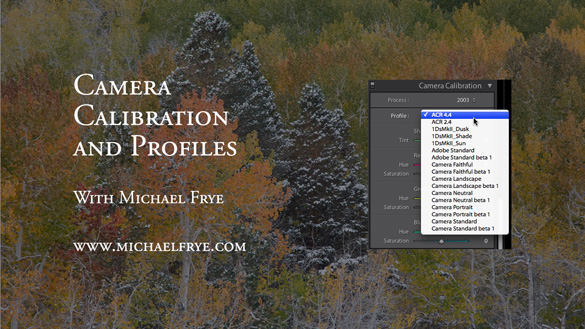
Vision is the most important part of photography. Your eye is what makes the difference between a great photograph and a mediocre one.
But when realizing your vision and making it come to life in the final image, getting the right color is vital.
Recently I posted two videos about using curves in Photoshop, Lightroom, and Camera Raw. But there’s a more fundamental step that I haven’t talked about, something you might want to do with Raw files before adding curves, correcting white balance, or doing anything else: choosing a profile.
What is a Camera Profile?
A camera profile is a translator: it’s translates the colors that a camera captures into the colors they should be. In other words, if a certain camera tends to turn reds into orange, the profile will correct for that and convert those reds back to their proper hue. Of course there’s no such thing as “correct” color—it’s all subjective. So profiles can come in different flavors: more saturated, less saturated, more contrasty, etc. Choosing the right flavor for your image is the first step toward making your visualization come to life.
I’ve posted a new video on YouTube that delves into this seemingly esoteric yet actually quite simple subject. In it I show you how to choose different profiles in Lightroom, and explore whether creating a custom profile might be worthwhile. I evaluate some profiles I made with the X-Rite ColorChecker Passport, a $99 package for making custom camera profiles in any lighting situation. Yes, full disclosure, they actually gave this to me for free—I must be hitting the big time!
Also, there’s one more reason for exploring different profile options: reducing noise, banding, and posterization. I show an example where the profile choice made a dramatic difference in noise and banding.
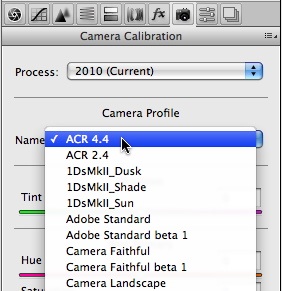
I didn’t have time to demonstrate it in the video, but the same profile choices are also available in Adobe Camera Raw—just look under the Camera Calibration tab, third from the right, as shown here.
So here’s a link to the video:
Camera Calibration and Profiles
As always, it helps to view this at the highest resolution, 480p, and click on the double-sided arrow to make the video larger.
I hope you enjoy it! Comments are always appreciated, and if you like video, please share it with a friend: Email this article, or click on one of the buttons below to post it on Facebook or Twitter.
by Michael Frye | Jul 6, 2010 | Advanced Techniques, Digital Darkroom, Video Tutorials
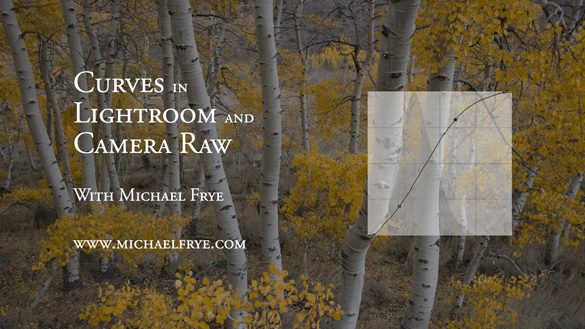
Curves in Lightroom and Camera Raw
As promised, I’ve posted another tutorial on YouTube about Curves in Lightroom and Adobe Camera Raw. In this video I examine the default settings in these applications, and why you should avoid using them—at least sometimes. These defaults actually apply three curves to your image before you even start processing it. Watch the video to see what’s really going on “under the hood” with the settings in Lightroom and Camera Raw.
Again I had to break this into two parts; here are the links:
Curves in Lightroom and Camera Raw – Part 1
Curves in Lightroom and Camera Raw – Part 2
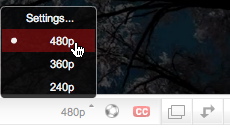 I hope you enjoy these—comments are always welcome! To see everything clearly you need to view in high resolution—click on where it says 240p or 360p in the lower-right corner and choose 480p. Also, if you click on the little double-sided arrow you’ll see the video larger.
by Michael Frye | Jun 24, 2010 | Advanced Techniques, Digital Darkroom, Video Tutorials
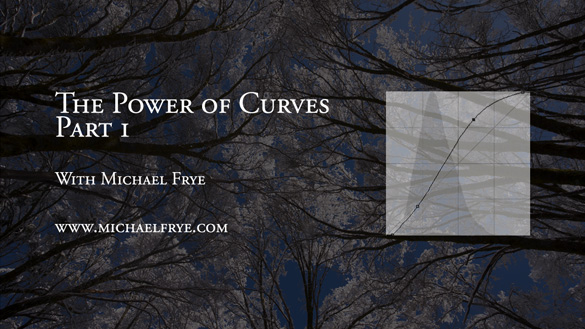
I did something I’ve wanted to do for a long time: post a video tutorial on YouTube. It’s called The Power of Curves, and it’s about, well, curves in Photoshop. This is one of those things that’s just easier to show than explain, so it’s a perfect subject for video.
I think Curves are the single most powerful tool in the digital darkroom; if you learn to master Curves, you’re well on your way to mastering image-processing. Curves tend to intimidate some people, as they seem foreign if you haven’t used them before. But Curves are really quite simple, and I hope this video helps clarify how to use this amazing tool. I had to break this into two parts; here are the links:
The Power of Curves Part 1
The Power of Curves Part 2
Originally I had wanted to talk about the new Point Curve feature in Lightroom 3, but then realized that I needed to explain some basics about Curves first, and that Photoshop was a better tool for that. But I’ll post another video in about two weeks about using Curves in Lightroom and Adobe Camera Raw, and about dealing with their strange default settings.
 So I hope you enjoy these—let me know what you think! To see everything clearly you need to view in high resolution—click on where it says 240p or 360p in the lower-right corner and choose 480p. Also, if you click on the little double-sided arrow you’ll see the video larger.
by Michael Frye | Apr 25, 2010 | Advanced Techniques, Photography Tips
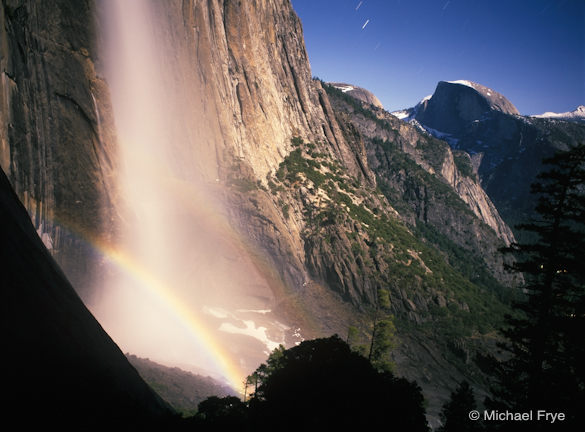
Half Dome and Upper Yosemite Fall with a lunar rainbow
In Friday’s post on my other blog I described some of my experiences attempting to photograph lunar rainbows, but here are some tips for capturing your own moonbow images.
The moon will become full at 5:19 Wednesday morning, so Tuesday night will provide the brightest moonlight, and the best chance to photograph a lunar rainbow this month—if the weather cooperates. Unfortunately the forecast calls for rain. If the predictions are faulty, and some moonlight manages to break through the clouds, cool temperatures will probably limit the amount of spray on Upper Yosemite Fall, so Lower Yosemite Fall may work better. For the upper fall, you might be better off waiting for the next full moon on May 27th. For detailed information on times and places to photograph lunar rainbows in Yosemite, see Don Olson’s site.
For those who aspire to capture lunar rainbows, here are some tips.
Equipment
Any digital SLR will work, but full-frame sensors usually produce less noise and work better for the long exposures required at night. A sturdy tripod is essential, plus a locking cable release or electronic release. You’ll want a good flashlight or headlamp, a watch to time long exposures, and a cloth for wiping spray off the lens if you’re at the lower fall. Long exposures drain batteries quickly, so make sure your camera battery is fully charged—and your spare too.
Focus and Depth of Field
To make exposure times reasonably short, you’ll have to keep your aperture wide open, or close to it. That means you won’t get much depth of field, so try to exclude foregrounds from your compositions. This shallow depth of field makes focusing critical. It’s obviously difficult to focus manually in the dark, and autofocus won’t work either. In the past I’d just manually set the lens at infinity, but many lenses now focus past infinity, making the correct focusing point difficult to determine. The solution is to find something distant that’s bright enough to focus on, like the moon itself, car headlights, or perhaps a bright light that you place far away. Then focus on that bright spot, using either manual or autofocus. The most precise method is probably focusing manually during a zoomed-in look in live view. Once you’ve set the focus, turn autofocus off and don’t touch the focusing ring—leave the lens set at this distance for all your images. You might even tape the focusing ring so it doesn’t move. (more…)
by Michael Frye | Feb 12, 2010 | Advanced Techniques, Photography Tips
My latest article for Outdoor Photographer magazine, The Digital Zone System, appears in the March issue, which is just hitting newsstands and mailboxes now. Click here to read it online.
by Michael Frye | Dec 3, 2009 | Advanced Techniques, Announcements, Video Tutorials
Rich Seiling recently added two excellent Photoshop video tutorials to his blog, Crafting Photographs. Rich is the founder and president of West Coast Imaging, and an expert on all things related to digital printing, so when he gives out free information like this it’s definitely worth checking out.